
For Centrestack 13.1.9686.53444 or later, please check the article here: https://support.centrestack.com/hc/en-us/articles/115000744607-How-to-setup-native-client-auto-upgrade-in-Centrestack-
Background
CentreStack allows the customization of a particular client version to be downloaded from the web portal or with the auto-update feature. This can be useful for branded versions and when a new client contains a needed hotfix and the tenant cannot wait for an official CentreStack version.
Process
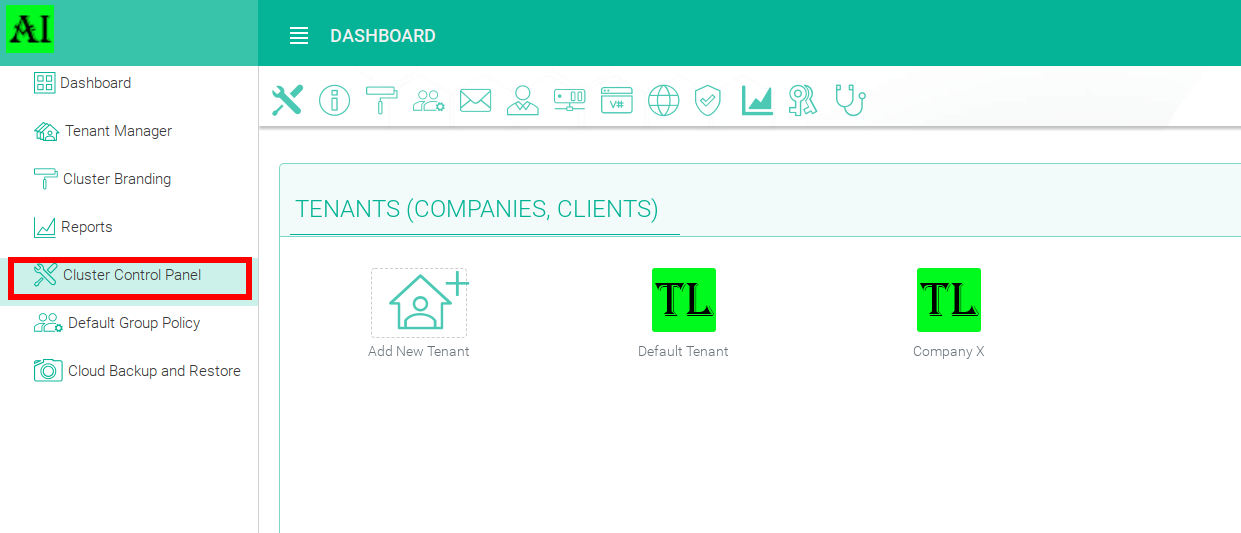
Do do this go to Cluster Control Panel:
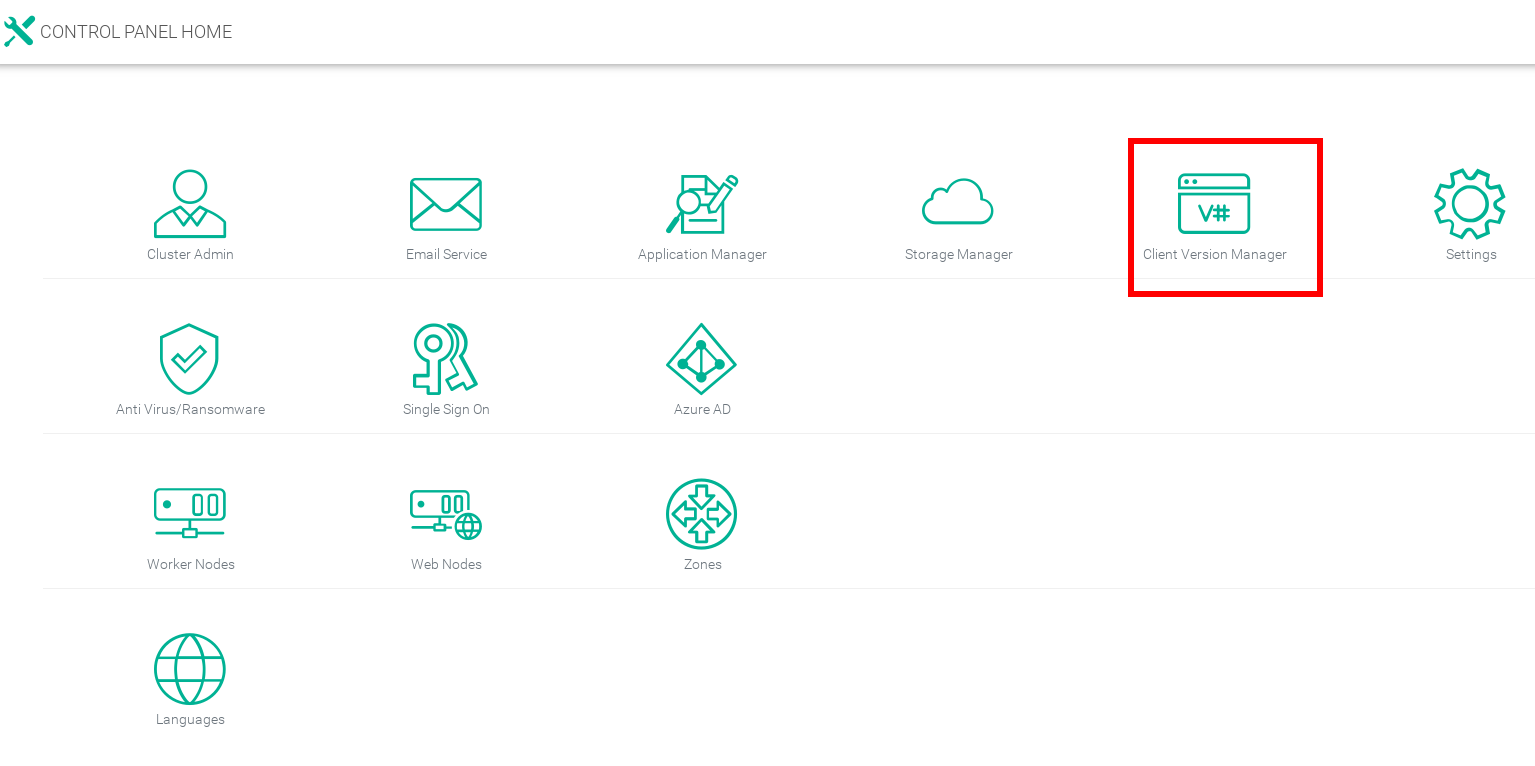
Go to Client Version Manager:
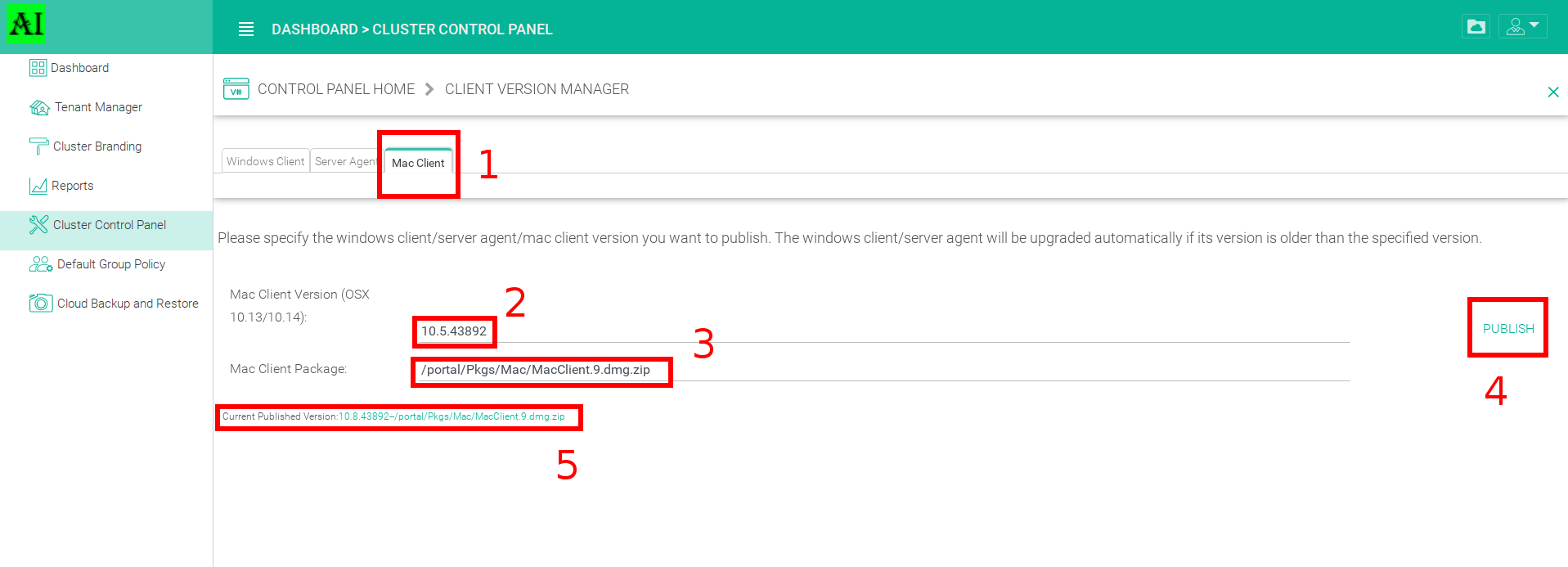
Go to the Mac Client tab shown below, then enter the version which should be higher than the actual one. Enter the location of the dmg (installation file). This includes a .zip extension but the file itself does not need to be zipped, just add the extension to the file both here and in the backend location (C:\Program Files (x86)\Gladinet Cloud Enterprise\portal\Pkgs\Mac).
Once done, click on Publish. You will see the message Current Published Version, will show the new published version that will be downloaded from the web portal.
Comments
1 comment
Thanks. If the GladinetClient process is missing in Activity Monitor, the crash log in $HOME/Library/Logs/DiagnosticReports/ is the right place to check, and the timestamp in the file name tells you which crash matches the moment the drive disappeared. When I set up a small Mac workspace near my entryway, I also browsed some nitrogen fertilizer for plants
Please sign in to leave a comment.