
Some times, after upgrade Centrestack, when access the web portal, hit port binding error, complaining about binding for port 80.
When hit the error, on Centrestack server, open browser and access the following two URLs:
http://localhost/namespace/n.svc/helloworld
http://localhost/storage/u.svc/helloworld
If everything is fine, the links should return message like:
Error 1: Could not load file or assembly GladCtrl64.dll_xxxxx
In the port binding error, you may see error like:
Here, the error is in namespace. The file is GladCtrl64.dll_1137492390
On Centrestack server, go to the installation folder\namespace\bin. By default, it is "C:\Program Files (x86)\Gladinet Cloud Enterprise\namespace\bin". Here, you should find the file 'GladCtrl64.dll_1137492390'. Try to delete the file, or move it to other location outside the installation folder.
After that, retry the helloworld link. It should work. And web portal should allow login too.
If the error is on an different application, go to the corresponding folder to check the file complained.
In the example here, the error happens on the /portal application.
Need to go to the installation folder\portal\bin folder to check the file GladCtrl64.dll_15744562 file there.
Error 2: HTTP Erro 500.19 - Internal Server Error Lock violation
You may hit Internal Server Error with 'Lock violiation'. It complains about some modules defined in web.config.
In the example here, hit Basicauthenticationmodule lock errors. You may see error like this for other modules.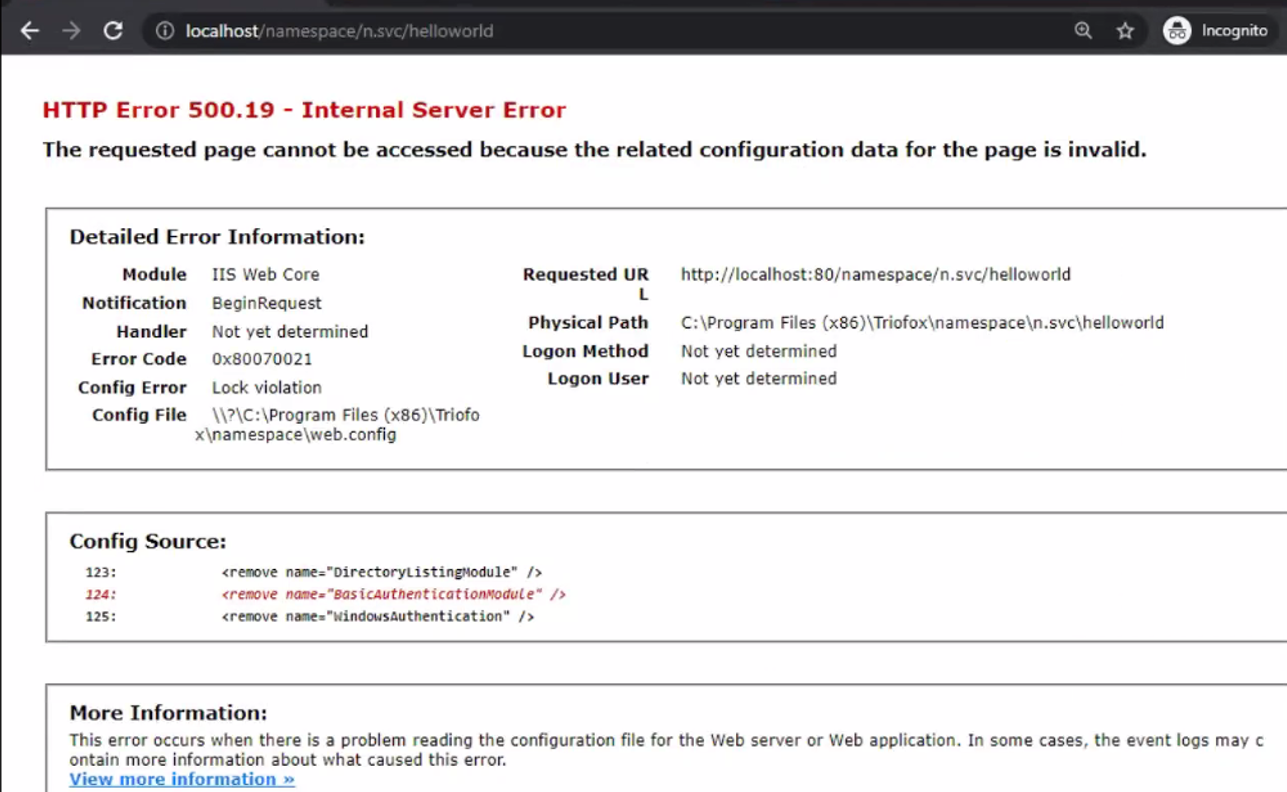
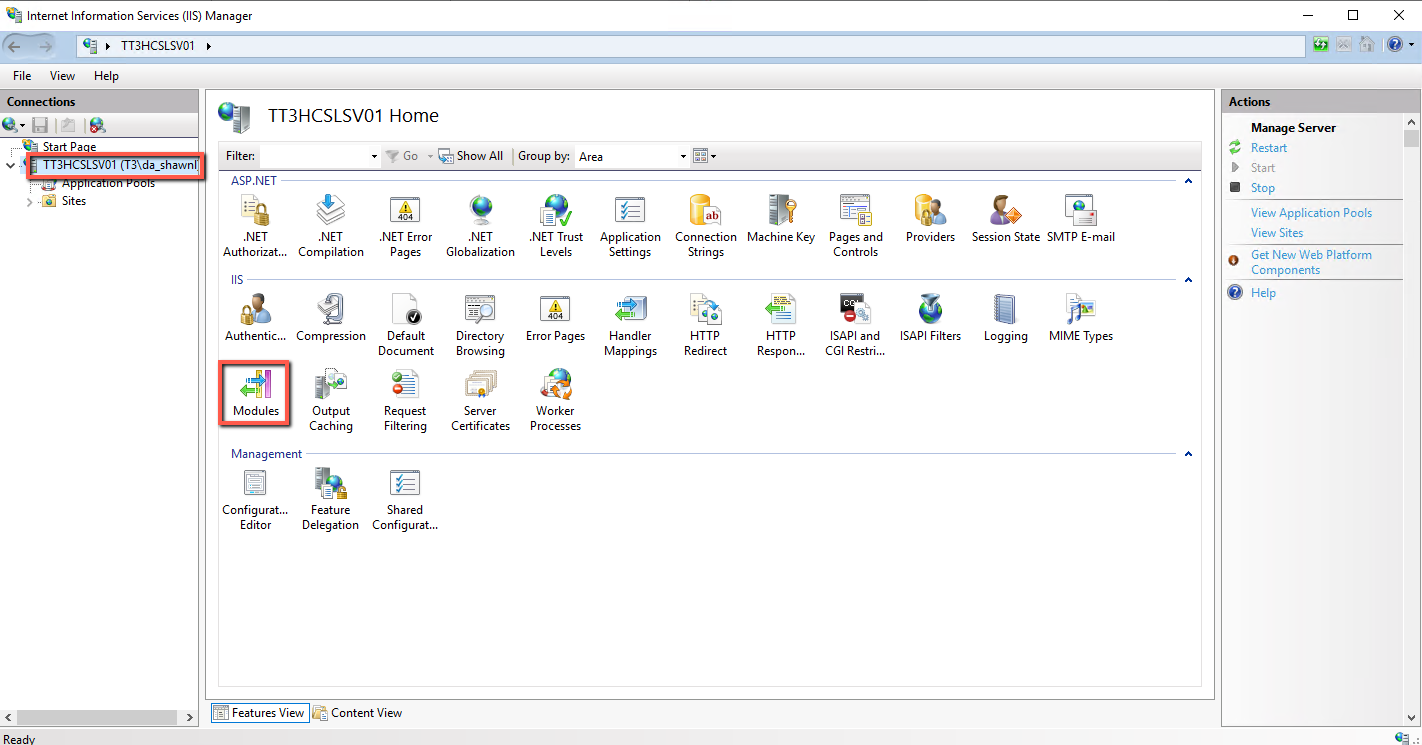
To fix the issue, open the IIS manager console, double click Modules to open.
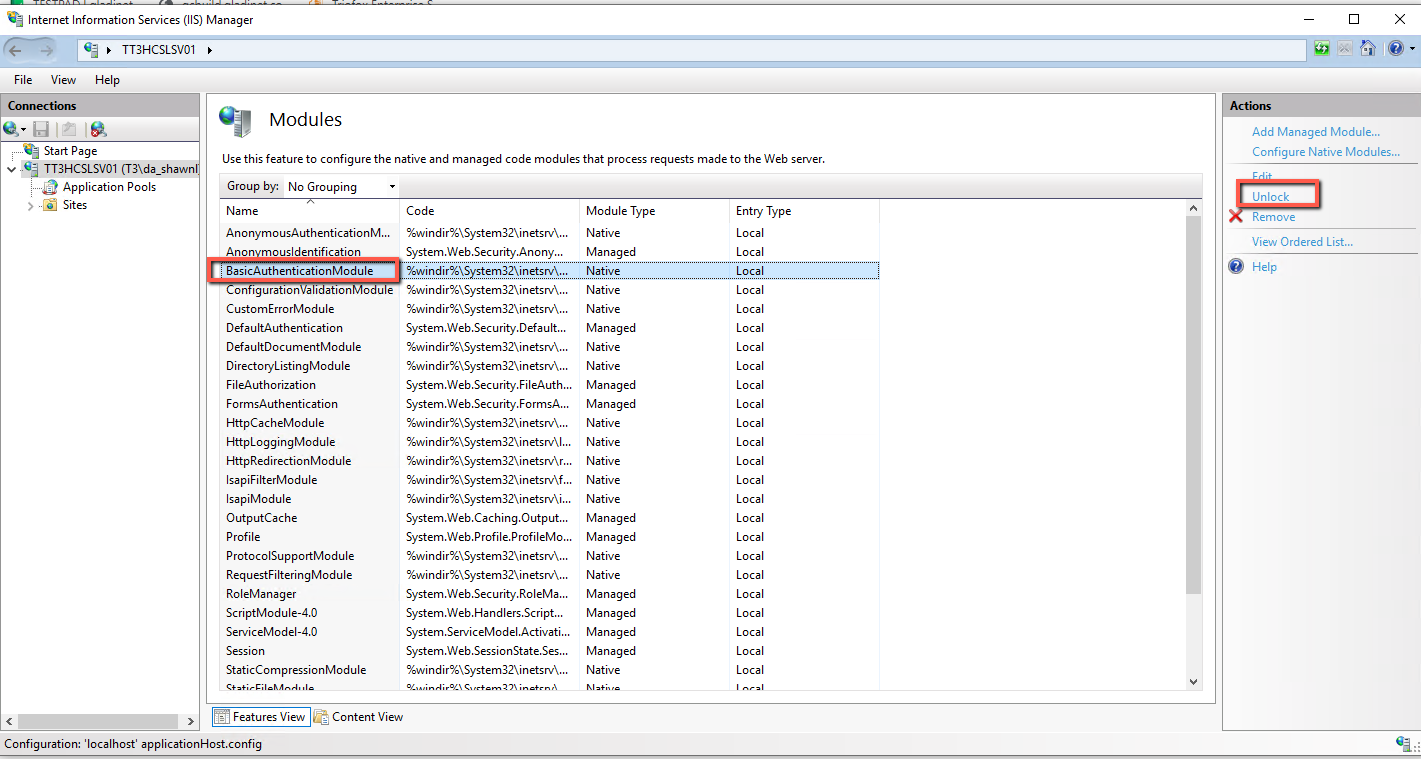
In the Module list, select the module mentioned in the error page, and click "unlock" on the upper right corn
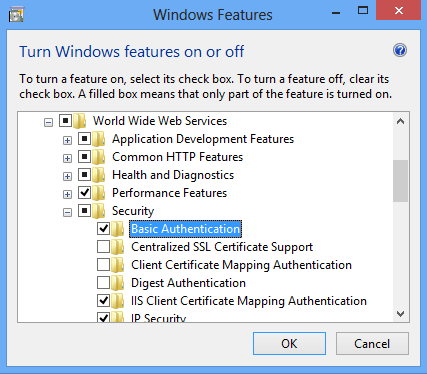
When you enable the "Basic Authentication" windows feature, this module will be added to IIS and locked.
After the module is unlocked, access helloworld URL again. It may complain about another module. Follow the instruction here to unlock the modules. Do it until the helloworld link shows the correct helloword message.
Comments
0 comments
Please sign in to leave a comment.